From lecture slides and PDFs to handwritten notes
How to turn a 40-slide PDF into two pages of notes you can learn from: what to keep, what to cut, and how to write it so it sticks.
4 min read
Slides are made for presenting, not for learning. A lecture deck repeats its headings, spreads one idea over three slides, and leaves out what the lecturer said out loud. Printing or importing the whole PDF and highlighting it feels productive, but you end up with forty highlighted slides and no clearer idea of what matters.
The goal of this guide is a short, handwritten version of the lecture: a page or two per session, in your own words, that you can learn from.
Step 1: skim the whole deck first
Before writing anything, go through all the slides once, quickly. Look only at headings and diagrams. You are trying to answer one question: what are the three to five main points of this lecture? Write them down as the headings of your notes. Everything else will go under one of them.
Lecturers usually tell you the structure on the second slide ("Today: …") and repeat it at the end ("Summary"). Those two slides are the best place to start.
Step 2: cut to key words
Now go through the slides properly, one heading at a time. For each slide, ask:
- Is this a new idea, or a repeat of something already in my notes?
- Is this an example? Keep one good example per idea, not all of them.
- Is this detail I will be tested on? Definitions, formulas, dates and named models usually are.
Write what survives as short phrases, not sentences. A slide with 60 words often becomes one line in your notes.
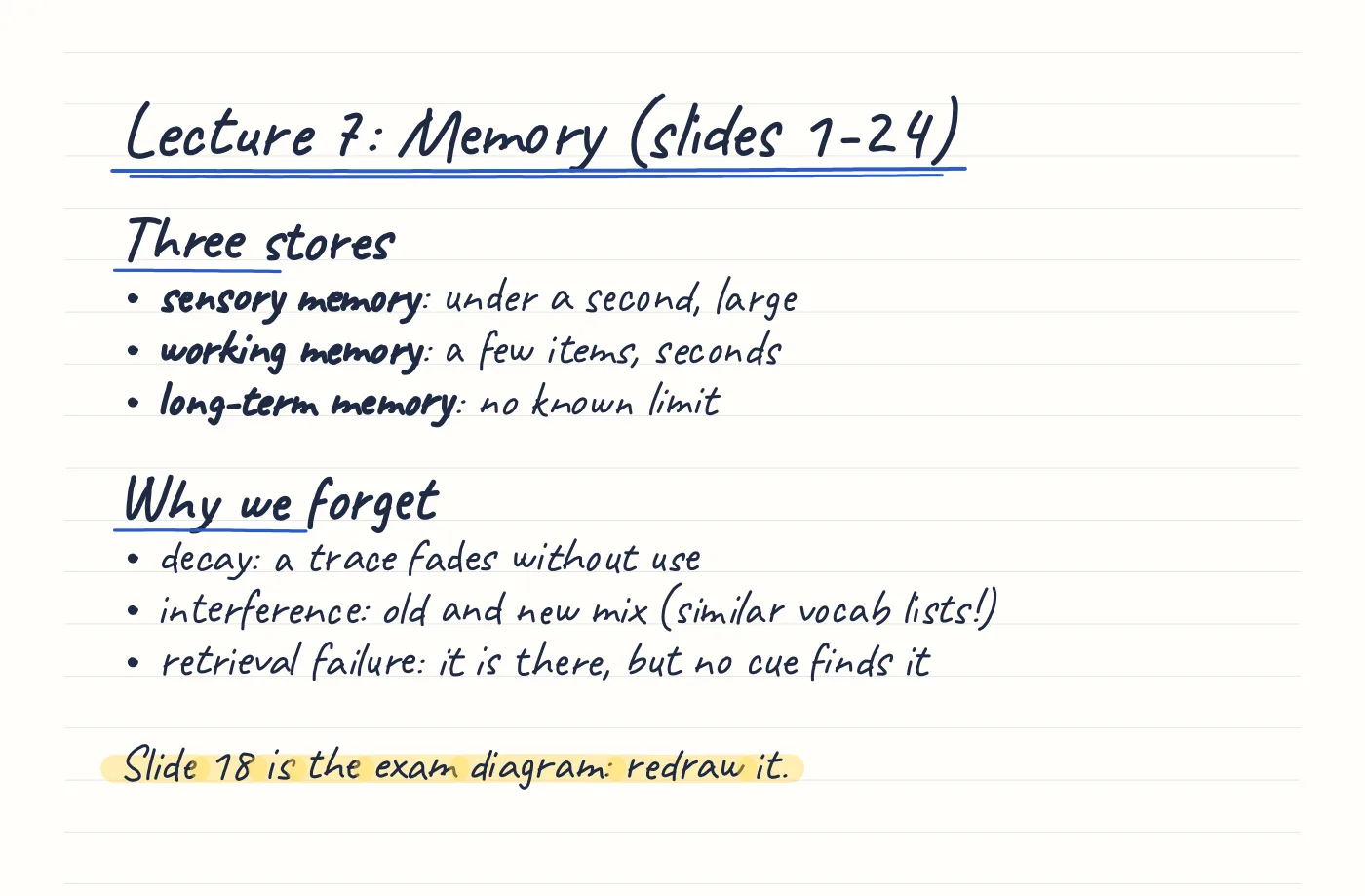
Step 3: add what the slides leave out
The slides are only half the lecture. What the lecturer said, the question a student asked, the "this comes up every year" remark: those belong in your notes and are not on any slide. If you take notes during the lecture, merge them in now. If you didn't, leave a gap and ask a classmate.
Also add your own example for each main idea. Something from your life or another subject. That small act of connecting the new idea to something you already know is one of the most reliable ways to make it stick.
Step 4: redraw the important diagrams
Diagrams on slides are often the most important content and the hardest to remember. Do not paste them as screenshots. Redraw them by hand, simplified: boxes, arrows, labels. If you cannot redraw it, you do not understand it yet, which is useful to know a week before the exam and not the night before.
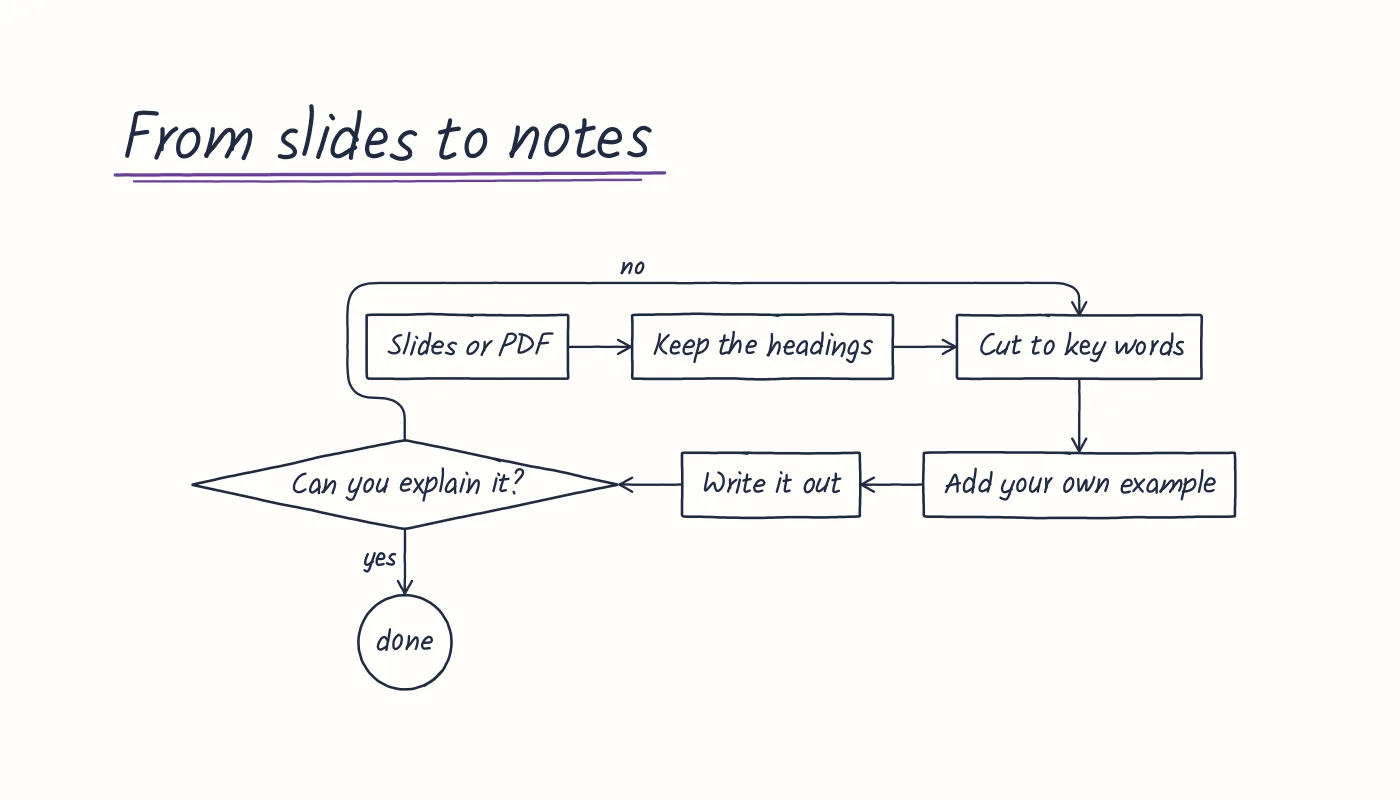
Step 5: test the page
When the page is finished, close the slides. Try to explain each heading out loud using only your notes. Where you get stuck, the notes are missing something. Go back to that slide, fix the note, and try again. That loop is the actual learning; the writing is how you get there.
How long should this take?
As a rough guide: a one-hour lecture should become one to two pages, and the process should take about as long as the lecture itself. If it takes much longer, you are copying too much. If it takes ten minutes, you are probably skipping the thinking.
On paper, on a tablet, or with help
On paper, print the slides at six per page and write your notes on separate sheets. On a tablet, open the PDF and your notebook side by side (both GoodNotes and Notability support this) and use the lasso tool to pull a diagram over if you really need it.
Some material is too long to write out by hand: a reading list, a 30-page script, a case study. In that case, summarise it on a computer first, in the same key-word style, and then decide what to do with the text. You can print it, or you can turn it into pages that match your handwritten notebook. In the Inkside Studio, Open file reads the text from a PDF, Word or PowerPoint file, so you can cut it down to your key points and have it written in a handwriting style as a GoodNotes notebook or PDF. Use this for your own course material and your own notes.
Common mistakes
- Highlighting instead of writing. Highlighting the slides feels like work but involves very little thinking. Use it only to mark what you will write up.
- Keeping every example. One per idea is enough. The rest are in the slides if you need them.
- Copying slide text word for word. If the wording matters, as for a definition, copy it and put it in a box. Everything else, rephrase.
- Leaving it for the exam period. Writing up a lecture the same week takes an hour. Writing up twelve of them in the last week takes days and teaches much less.
A template for one lecture
- Title, date, lecture number, slide range.
- Three to five headings from the structure slide.
- Under each: key words, one example, and anything the lecturer said that is not on the slides.
- One redrawn diagram.
- Two or three questions at the end that the page answers.
The questions at the end are not decoration: they are your flashcards for later. The guide on flashcards and active recall shows how to use them.